It is a test. Now, the application looks great.
It works. Even from Beijing. :)
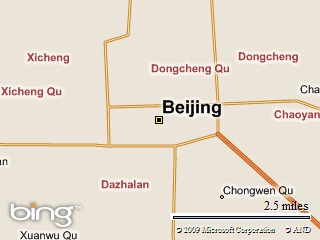
It is a test. Now, the application looks great.
It works. Even from Beijing. :)
#include <cstdio>And then I see (thanks to EE), that there are a set of functions such as strtod, strtof, etc. Actually, I knew about strtol, so I could guess that should be also strtod. But I didn't. :)
#include <string>
bool is_valid_double(const char* str)
{
while (str && *str && *str == ' ')
str++;
if (*str && *str == '-')
str++;
while (str && *str)
{
if (!isdigit(*str) && (*str != '.'))
{
if (*str == ' ')
{
while (str && *str && *str == ' ')
str++;
if (!*str)
return true;
}
return false;
}
str++;
}
return true;
}
int main()
{
char sz[16] = { 0 };
sprintf(sz, "%f", 20.0);
bool b = is_valid_double(sz);
strcpy(sz, " 20.00");
b = is_valid_double(sz);
strcpy(sz, " 20.00 ");
b = is_valid_double(sz);
strcpy(sz, " -20.00 ");
b = is_valid_double(sz);
strcpy(sz, " --20.00");
b = is_valid_double(sz);
strcpy(sz, " 20.00 2");
b = is_valid_double(sz);
strcpy(sz, " 20nn ");
b = is_valid_double(sz);
return 0;
}
HDC hDC = ::GetDC(NULL);Two variables cx and cy are the predefined size of the background image.
const int w = GetDeviceCaps(hDC, HORZRES);
const int h = GetDeviceCaps(hDC, VERTRES);
::ReleaseDC(NULL, hDC);
RECT rcClient, rcWindow;
GetClientRect(&rcClient);
GetWindowRect(&rcWindow);
m_Diff.x = (rcWindow.right - rcWindow.left) - rcClient.right;
m_Diff.y = (rcWindow.bottom - rcWindow.top) - rcClient.bottom;
cx += m_Diff.x;
cy += m_Diff.y;
RECT rect;
rect.left = (w >> 1) - (cx >> 1);
rect.top = (h >> 1) - (cy >> 1);
rect.right = rect.left + cx;
rect.bottom = rect.top + cy;
MoveWindow(&rect);
BOOL Center(int cx, int cy, RECT& rect)This function above calculates the window rectangle for the predefined client area in the center of the desktop.
{
HDC hDC = ::GetDC(NULL);
const int w = GetDeviceCaps(hDC, HORZRES);
const int h = GetDeviceCaps(hDC, VERTRES);
::ReleaseDC(NULL, hDC);
rect.left = (w >> 1) - (cx >> 1);
rect.top = (h >> 1) - (cy >> 1);
rect.right = rect.left + cx;
rect.bottom = rect.top + cy;
AdjustWindowRectEx(&rect, s_nWndStyle, FALSE, s_nWndStyleEx);
return TRUE;
}
LRESULT OnGetMinMaxInfo(UINT nMsg, WPARAM wParam, LPARAM lParam, BOOL& bHandled)ptMinTrackSize in the MINMAXINFO structure is just a point, for example, set it as { 200, 200 } and the window cannot be smaller then 200x200.
{
LPMINMAXINFO pInfo = (LPMINMAXINFO)lParam;
if (pInfo != NULL)
{
pInfo->ptMinTrackSize = CPainter::GetMinSize();
}
return 0;
}
#define WIN32_LEAN_AND_MEAN        // Exclude rarely-used stuff from Windows headers

#include <windows.h>

LPCWSTR s_szWndClassName = L"Small Window";

ATOM                RegisterWndClass(HINSTANCE hInstance, LPCWSTR lpszWndClassName);
LRESULT CALLBACK    WndProc(HWND, UINT, WPARAM, LPARAM);

int APIENTRY wWinMain(HINSTANCE hInstance, HINSTANCE,
                      LPWSTR, int nCmdShow)
{
    HWND hWnd = NULL;
    MSG msg = { 0 };

    RegisterWndClass(hInstance, s_szWndClassName);

    hWnd = CreateWindow(s_szWndClassName, s_szWndClassName,
        WS_OVERLAPPEDWINDOW,
        CW_USEDEFAULT, 0, CW_USEDEFAULT, 0,
        NULL, NULL, hInstance, NULL);

    if (hWnd != NULL)
    {
        ShowWindow(hWnd, nCmdShow);
        UpdateWindow(hWnd);

        // Main message loop:
        while (GetMessage(&msg, NULL, 0, 0))
        {
            TranslateMessage(&msg);
            DispatchMessage(&msg);
        }
    }

    return (int)msg.wParam;
}


ATOM RegisterWndClass(HINSTANCE hInstance, LPCWSTR lpszWndClassName)
{
    WNDCLASSEX wcex = { 0 };
    wcex.cbSize            = sizeof(WNDCLASSEX);
    wcex.style            = CS_HREDRAW | CS_VREDRAW;
    wcex.lpfnWndProc    = WndProc;
    wcex.hInstance        = hInstance;
    wcex.hCursor        = LoadCursor(NULL, IDC_ARROW);
    wcex.hbrBackground    = (HBRUSH)(COLOR_WINDOW + 1);
    wcex.lpszMenuName    = NULL;
    wcex.lpszClassName    = lpszWndClassName;
    return RegisterClassEx(&wcex);
}

LRESULT CALLBACK WndProc(HWND hWnd, UINT message, WPARAM wParam, LPARAM lParam)
{
    PAINTSTRUCT ps;
    HDC hdc;

    switch (message)
    {
    case WM_PAINT:
        hdc = BeginPaint(hWnd, &ps);
        EndPaint(hWnd, &ps);
        break;

    case WM_DESTROY:
        PostQuitMessage(0);
        break;

    default:
        return DefWindowProc(hWnd, message, wParam, lParam);
    }
    return 0;
}
CImageResource<CImage> m_Image;
#pragma once

class CImageResource
{
    Bitmap* m_pBitmap;
    HGLOBAL    m_hBlock;

public:
    CImageResource() : m_pBitmap(NULL), m_hBlock(NULL) {}
    ~CImageResource() { Clear(); }

    inline BOOL IsNull() const { return m_pBitmap == NULL; }

    UINT GetWidth()
    {
        if (IsNull())
            return 0;
        return m_pBitmap->GetWidth();
    }

    UINT GetHeight()
    {
        if (IsNull())
            return 0;
        return m_pBitmap->GetHeight();
    }

    BOOL Draw(HDC hDC, int x, int y)
    {
        if (IsNull())
            return FALSE;
        Graphics graphics(hDC);
        return graphics.DrawImage(m_pBitmap, x, y,
            m_pBitmap->GetWidth(), m_pBitmap->GetHeight()) == Ok;
    }

    BOOL Draw(HDC hDC, RECT& rect)
    {
        if (IsNull())
            return FALSE;
        Graphics graphics(hDC);
        return graphics.DrawImage(m_pBitmap, rect.left, rect.top,
            rect.right - rect.left, rect.bottom - rect.top) == Ok;
    }

    BOOL Load(LPCWSTR lpszFile)
    {
        Clear();
        m_pBitmap = Bitmap::FromFile(lpszFile);
        return m_pBitmap->GetLastStatus() == Ok;
    }

    BOOL LoadFromResource(UINT nResID)
    {
        Clear();
        HMODULE hModule = GetModuleHandle(NULL);
        HRSRC hResource = FindResource(hModule,
            MAKEINTRESOURCE(nResID), L"IMAGES");
        if (hResource == NULL)
            return FALSE;

        HGLOBAL hImage = LoadResource(hModule, hResource);
        if (hImage == NULL)
            return FALSE;
        LPVOID pImage = LockResource(hImage);
        if (pImage == NULL)
            return FALSE;

        HRESULT hr = E_FAIL;
        int size = SizeofResource(hModule, hResource);
        m_hBlock = GlobalAlloc(GMEM_MOVEABLE, size);
        if (m_hBlock == NULL)
            return FALSE;

        LPVOID pBlock = GlobalLock(m_hBlock);
        if (pBlock != NULL)
        {
            memmove(pBlock, pImage, size);
            IStream* pStream = NULL;
            if (CreateStreamOnHGlobal(m_hBlock, FALSE, &pStream) == S_OK)
            {
                m_pBitmap = Bitmap::FromStream(pStream);
                pStream->Release();
                if (m_pBitmap != NULL)
                {
                    if (m_pBitmap->GetLastStatus() == Ok)
                        return TRUE;
                }
                delete m_pBitmap;
                m_pBitmap = NULL;
            }
            GlobalUnlock(m_hBlock);
        }
        GlobalFree(m_hBlock);
        m_hBlock = NULL;
        return FALSE;
    }

    void Clear()
    {
        delete m_pBitmap;
        m_pBitmap = NULL;
        if (m_hBlock != NULL)
        {
            GlobalUnlock(m_hBlock);
            GlobalFree(m_hBlock);
        }
    }
};


